
Revenue, tickets sold, sales trends, and where every order came from, across all your events or one at a time. Share a live count with the people who need it and keep the rest to yourself.







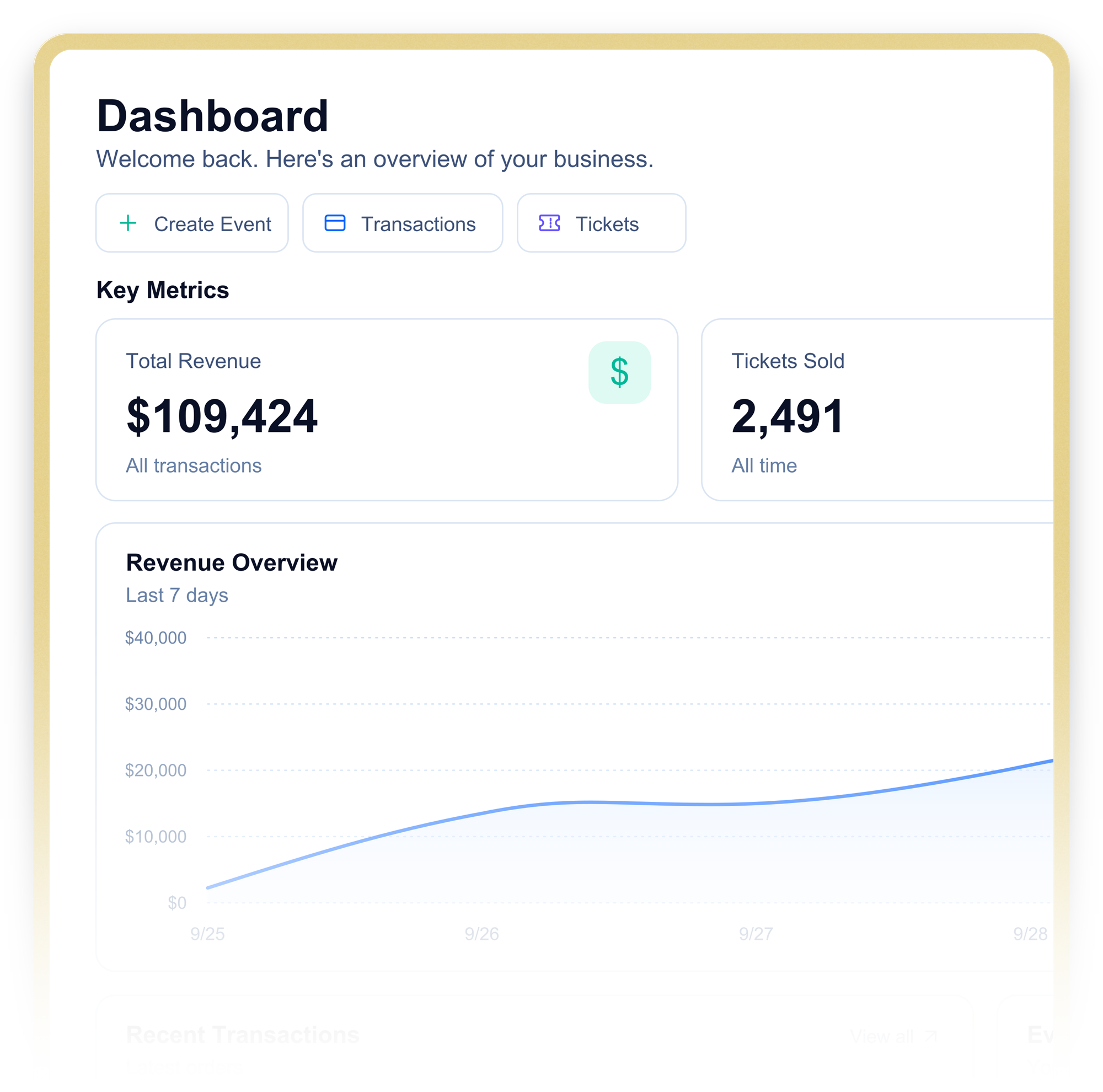
Most ticketing platforms make you export to find out how you are doing. Seatfun puts the answer on the first screen you see.
Log in and the numbers are already there: total revenue and tickets sold across every event, filtered to the last 24 hours, the last 7 days, the last 30, or all time. Below it, your most recent transactions and a snapshot of upcoming shows with tickets sold against each. The morning-after check that used to take a report request now takes a glance.
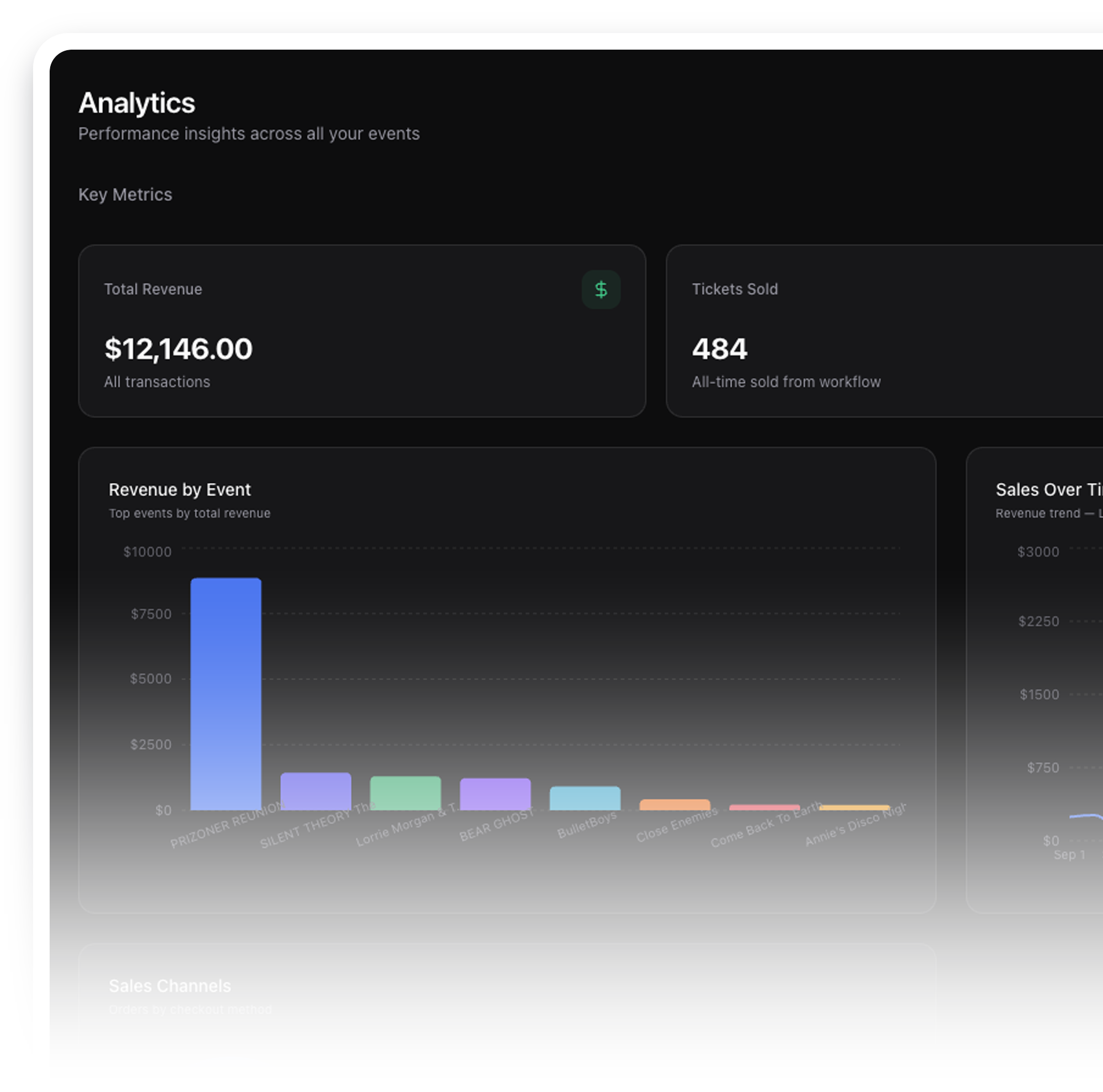
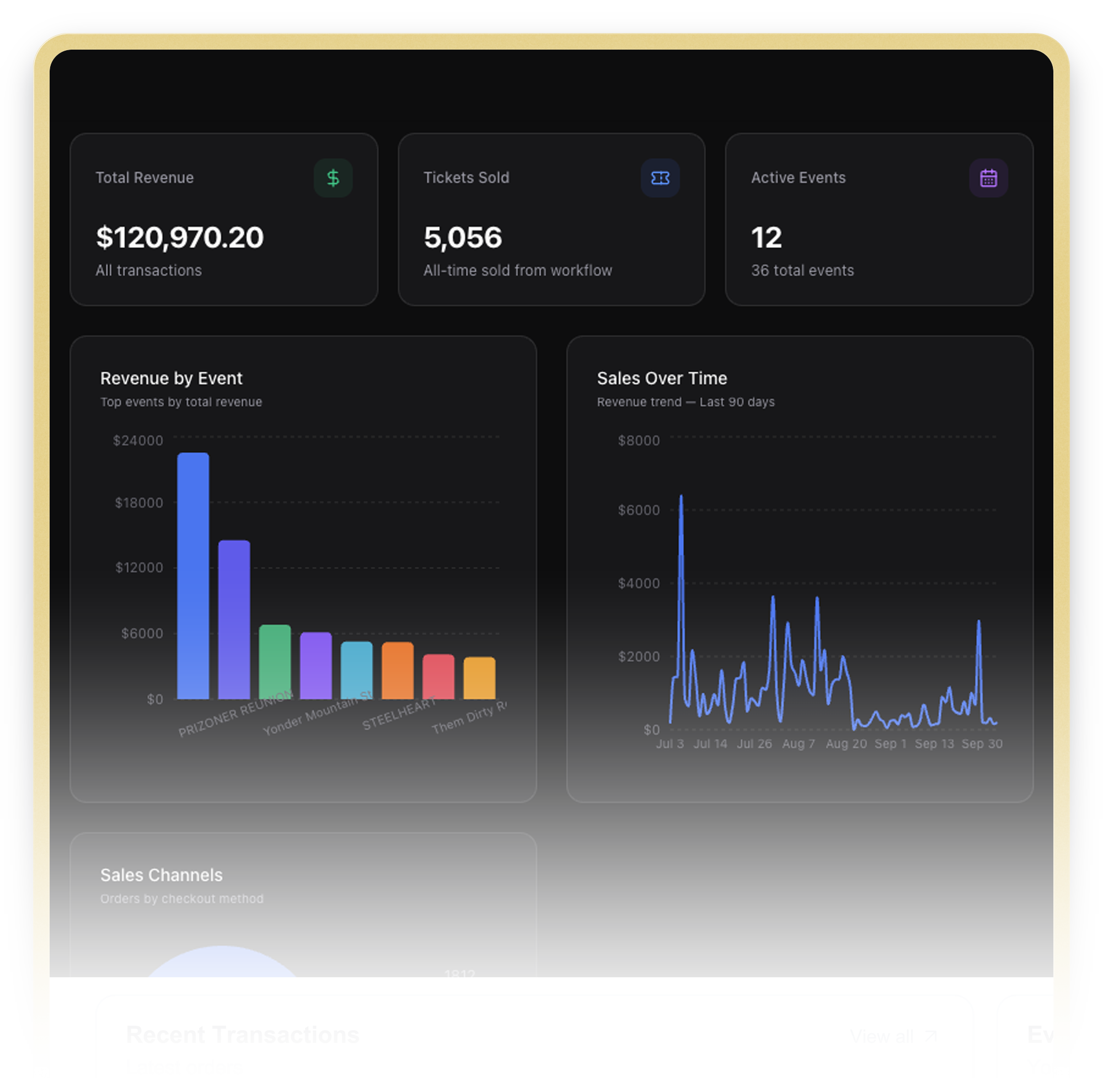
The analytics tab charts revenue by event side by side, so you see which shows carry the season. Sales trends over time show you when fans buy, so you know when to push. And the order mix of mobile versus web checkout tells you where your audience actually lives, which changes how you market the next one.
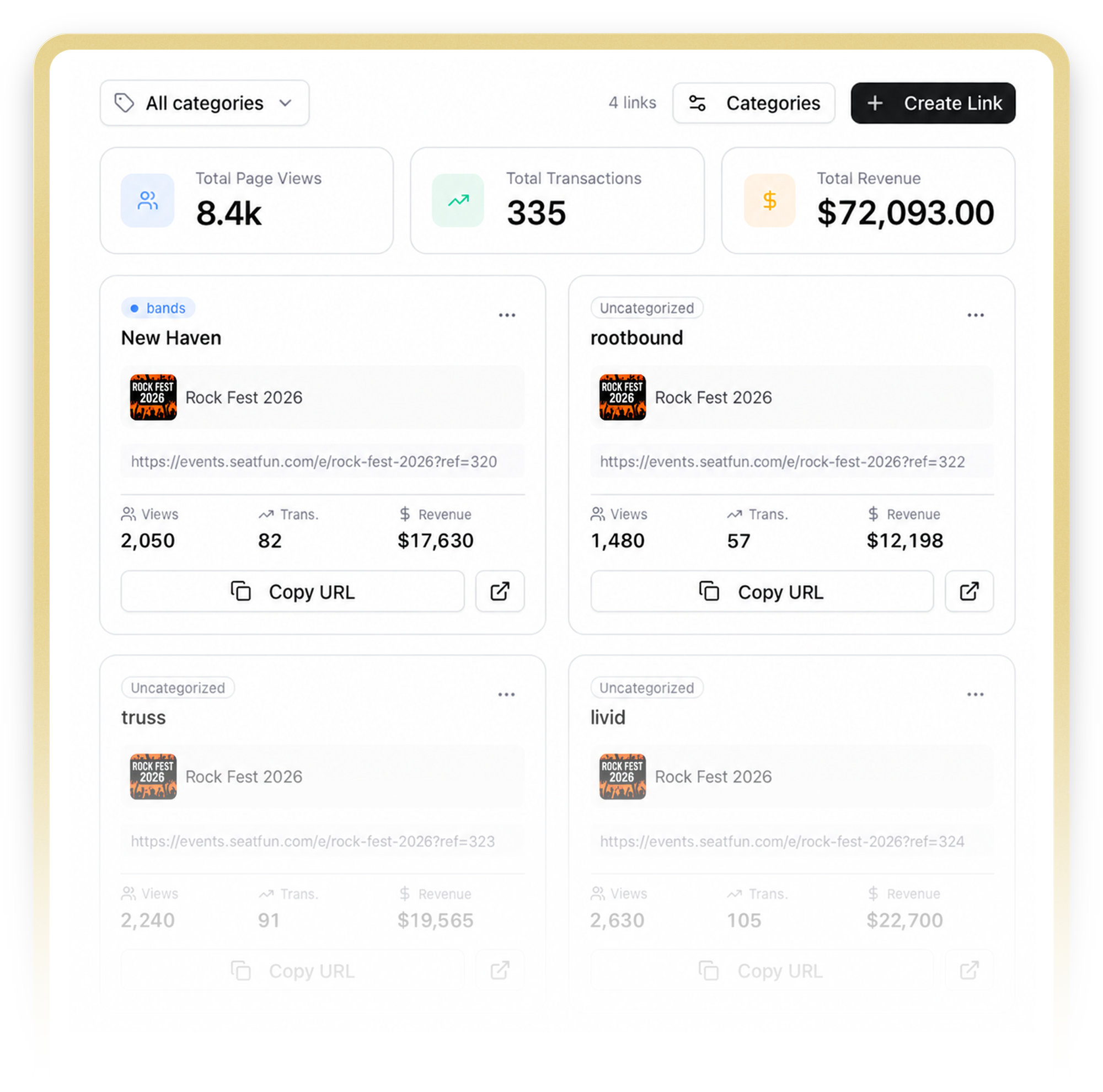
Every tracking link reports views, transactions, and revenue. Group links into categories you define, such as Meta, TikTok, radio, or street team, and see category totals across the year. When the agent asks what moved tickets, you have the answer by channel, not a guess.
Built for the owner checking from the couch and the finance team closing the quarter.
Branded event pages, unlimited ticket types, discount codes, and tickets delivered straight to Apple Wallet.
Build any room, price any seat, and let fans pick their exact spot online or at the door.
Turn any iPhone into a box office. Tap to Pay, no reader, no dongle, no rented hardware.
Parking, merch, VIP upgrades, and more in one click at checkout, with zero service fees on top.
Email, unlimited SMS, and tracking links, so you know which post sold which ticket.
Every buyer lands in your CRM, profiled automatically. We never cross-promote other events to your audience.
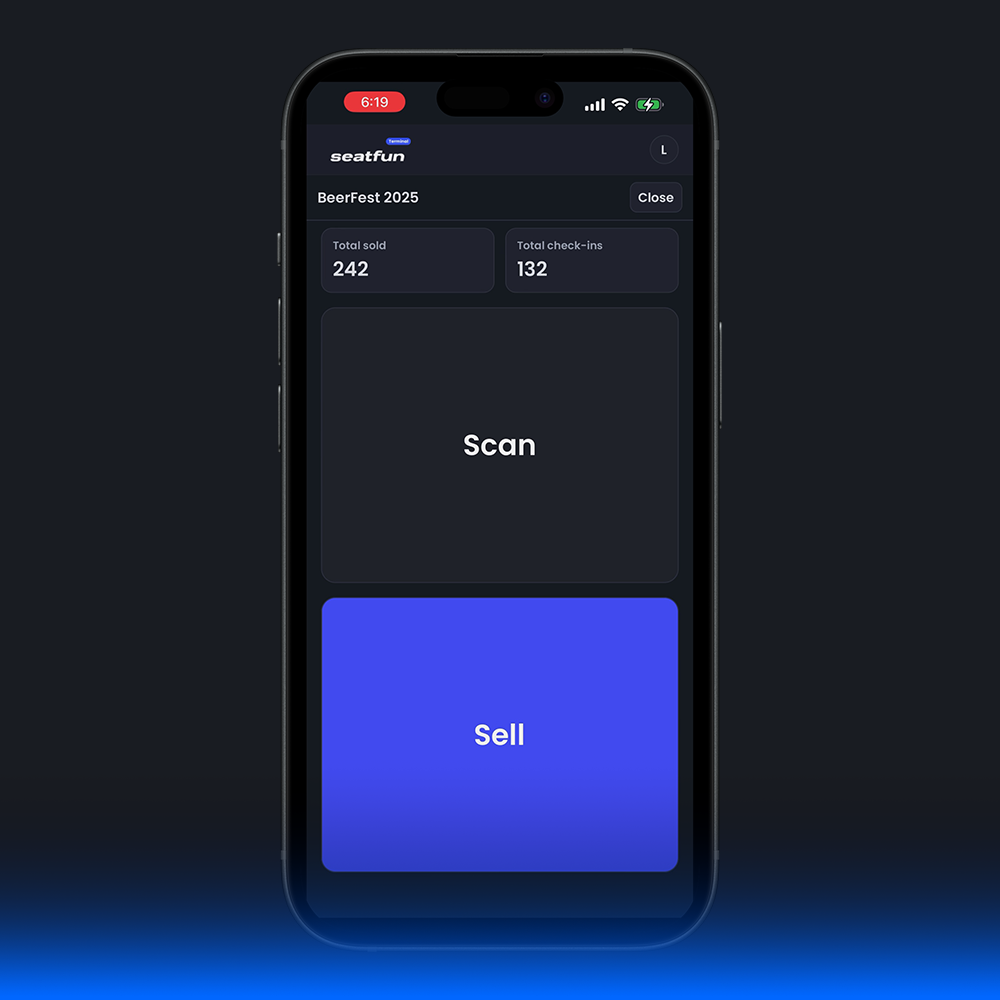
Scan from any iPhone, text a scanner link to door staff, and sell to walk-ups in the same line.
A service fee designed with you, custom fees that are your revenue, and payouts daily, weekly, or monthly.
Invite-only, with a fee structure we design together. Request an invite and we will walk you through a dashboard built from your own events.







.svg)
Reporting is where most platforms show you how little they think about the organizer.
Nightly count emails to everyone, whether they need them or not
Exports and pivot tables to answer "how did last month do?"
No idea which ad, post, or partner actually sold the ticket
A password-protected live count link for exactly who needs it
Revenue, trends, and order mix on the dashboard, no export required
Tracking link attribution by channel and category
Common questions about ticket sales reporting in Seatfun
Built for venues, organizers, and festivals ready to scale smarter.
